India · Aadhaar offline verification
Trust UIDAI's signature, not a photo of a card.
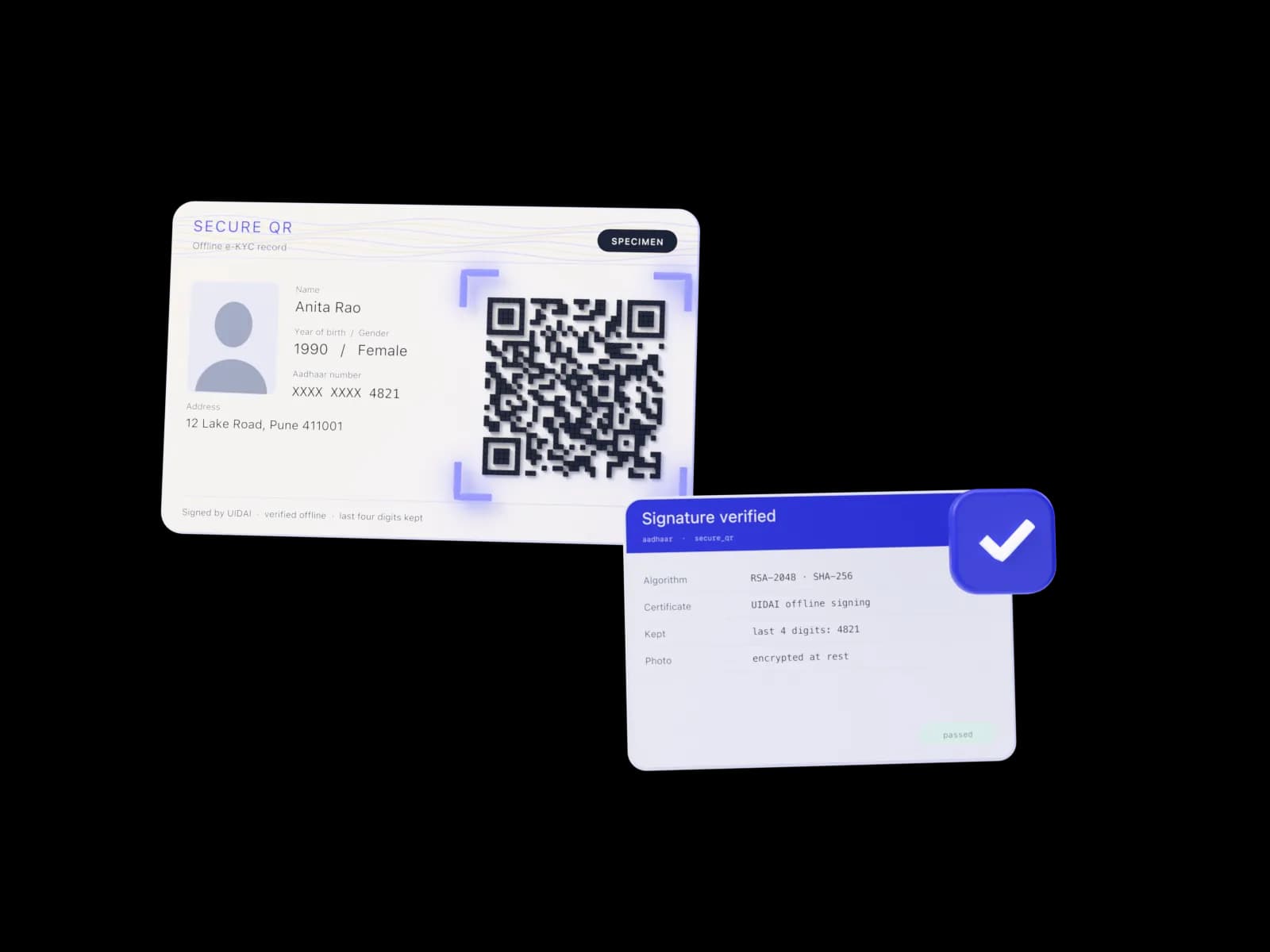
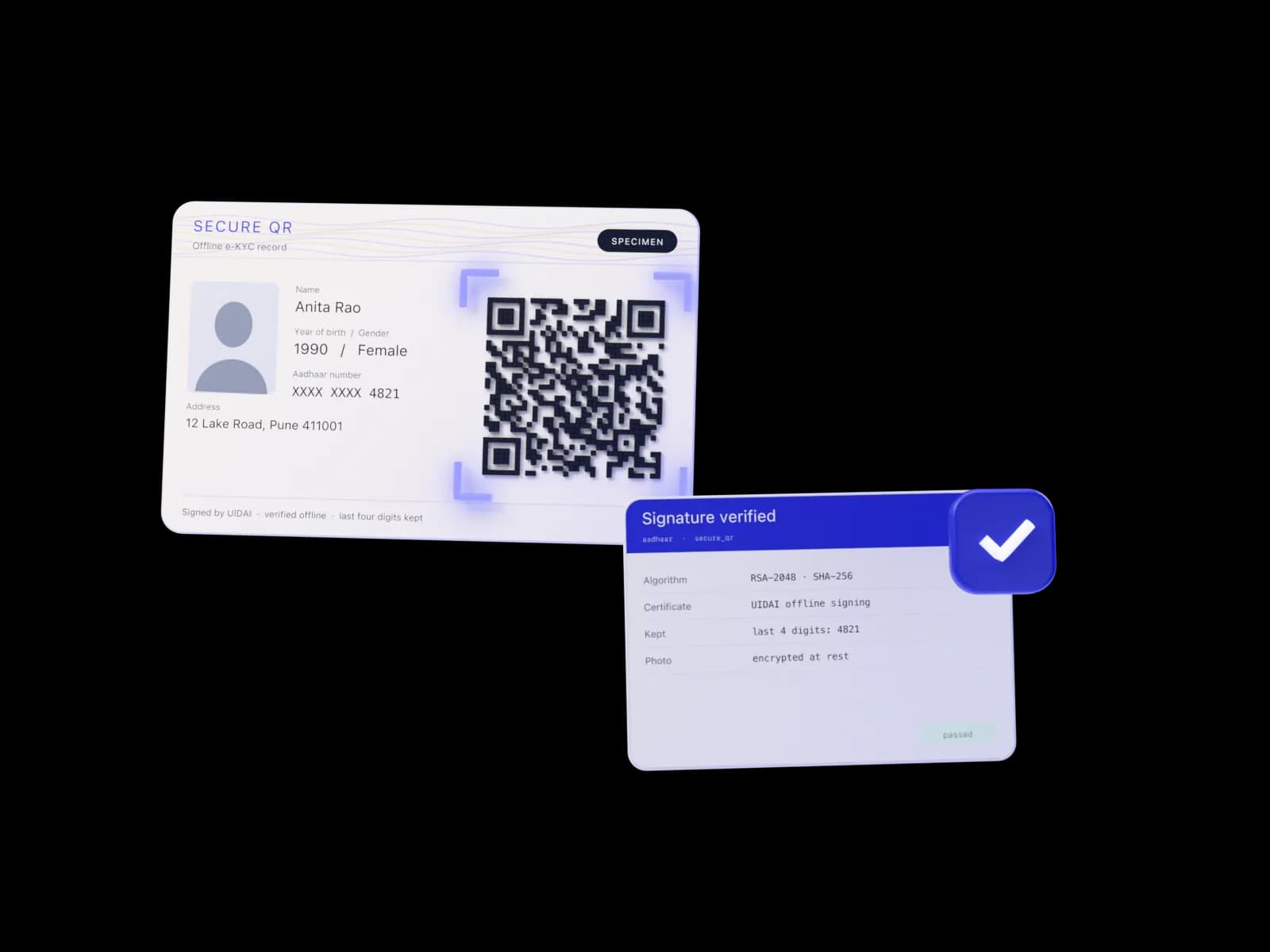
The resident shares a UIDAI-signed artefact: the Secure QR printed on their Aadhaar, or the Offline e-KYC ZIP downloaded from UIDAI. KYCVerify verifies the signature with UIDAI's public certificate, reads the demographics and photo, and keeps only the last four digits.
- methods: Secure QR and Offline e-KYC XML
- 2
- Aadhaar digits in an offline artefact, the last four
- 4
- default maximum age of an Offline XML
- 3 days
What it checks
Aadhaar, check by check.
Each rule below is what the engine actually runs. The result is written as a aadhaar check with its score and warnings.
Signature
Secure QR carries an RSA signature over its payload; Offline e-KYC XML carries an enveloped XML-DSig. Both are verified against UIDAI's published certificates. A document altered after signing fails with the reason.
Freshness
The reference id embeds the generation time. An Offline XML older than the workflow's limit goes to review with an
xml_too_oldwarning.Contact hashes
When the resident supplied an email, it is checked against UIDAI's hashed contact fields; a mismatch raises a warning.
Photo for face match
The signed photo becomes the reference portrait for face match when no document portrait is available.
Try it
Follow an artefact from scan to stored digits.
Step through how a Secure QR or an Offline e-KYC file is unpacked and its UIDAI signature checked, then decode a reference id: the only place the Aadhaar number appears, as its last four digits.
- The rules are ported line for line from the Rust engine, and the page names the file.
- Everything runs locally in this tab. No request is made while you type.
- Reset puts the example back; nothing is saved.
Aadhaar: how an artefact is verified
Step 1 of 6
ZIP
The resident downloads the Offline e-KYC ZIP from UIDAI and shares it with its four-character share code.
Reference id decoder
Last four Aadhaar digits, then the generation time in IST (YYYYMMDDHHMMSS and milliseconds). This sample is invented.
Workflow setting; default 3.
- Stored digits
- XXXX XXXX 4821
- Generated (IST)
- -
- Age
- -
Enter a reference id
Logic ported from backend/crates/kyc-india/src/secure_qr.rs · offline_xml.rs. Nothing you type leaves this page.
How it works
What happens, in order.
- 1
Choose a method
The person scans the Secure QR (decoded in the browser, or an image decoded on the server) or uploads the Offline e-KYC ZIP with its share code.
- 2
Verify
The QR number is decompressed and split, or the ZIP is opened with the share code and the XML parsed. The signature is verified with UIDAI's certificate.
- 3
Minimise
Name, date or year of birth, gender and address are merged into the identity. Only the last four digits of the Aadhaar number are kept.
Configuration
The workflow keys and their defaults.
"aadhaar": {
  "enabled": true,
  "methods": ["secure_qr", "offline_xml"],
  "max_xml_age_days": 3,
  "require_signature": true
}| Key | Default | Meaning |
|---|---|---|
| methods | both | Which artefacts the person may use. |
| max_xml_age_days | 3 | Reject an Offline XML generated longer ago than this. |
| require_signature | true | Fail when the UIDAI signature cannot be verified. |
Reference
Two artefacts, both signed by UIDAI.
| Property | Secure QR | Offline e-KYC XML |
|---|---|---|
| Where it comes from | Printed on Aadhaar letters, e-Aadhaar and the Aadhaar app | A ZIP the resident downloads from UIDAI with a share code |
| Signature | RSA-2048, SHA256withRSA over the payload | Enveloped XML-DSig over the document |
| Freshness | Not limited | max_xml_age_days, 3 by default |
| Photo | Yes, JPEG 2000 | Yes |
| Contact check | Hashed email and mobile, when present | Hashed email and mobile |
| Aadhaar number | Last four digits only | Last four digits only |
Reasons and warnings
Exact codes, as they appear in the check's data and warnings, so you can branch on them.
| Code | Outcome | When |
|---|---|---|
| aadhaar_signature_invalid | failed | The UIDAI signature does not verify: altered, or not issued by UIDAI. With require_signature off it goes to review instead. |
| aadhaar_signature_unverified | review | No UIDAI certificate is loaded on the server, so nothing could be verified. |
| aadhaar_xml_too_old | review | The Offline e-KYC file was generated longer ago than max_xml_age_days. |
| aadhaar_xml_age_unknown | review | The generation time in the reference id could not be read. |
| aadhaar_name_mismatch | review | The Aadhaar name differs from the name read from a document in the same session. |
| email_mismatch | warning | The verified email does not match UIDAI's hashed email. |
API
Verify a Secure QR from your backend.
POST /v1/checks/aadhaar/secure-qr takes the decoded QR text. The response is the signature-checked record without photo bytes and without the reference id.
Verify a Secure QR from your backend.
curl -X POST https://kycverify.me/api/v1/checks/aadhaar/secure-qr \
  -H "x-api-key: $KYC_API_KEY" \
  -H "content-type: application/json" \
  -d '{
    "qr_text": "2374971804270526477833549…"
  }'
200 OK
{
  "source": "secure_qr",
  "version": "V2",
  "aadhaar_last4": "4821",
  "generated_at": "2026-09-21T10:30:15.482+05:30",
  "name": "…",
  "date_of_birth": "1990-01-01",
  "gender": "F",
  "address": { "district": "…", "state": "…", "pincode": "…" },
  "address_text": "…",
  "photo_present": true,
  "photo_format": "jp2",
  "signature": "valid"
}
Limits
What it does not do.
Stated up front, so you can decide what to pair it with.
- This is offline verification of a signed artefact, not UIDAI authentication or online e-KYC through an AUA/KUA.
- Whether your organisation may run Aadhaar offline verification for a purpose, and under which registration (for example as an OVSE), is a regulatory question for you and your counsel. KYCVerify does not confer any registration.
- UIDAI rotates its signing certificates. Keep the certificate directory current, or signatures will report as unverifiable.
FAQ
Aadhaar: questions.
Does KYCVerify ever see the full Aadhaar number?
Not from the offline formats: both carry a reference id that embeds only the last four digits, and those are all that is kept. A photographed Aadhaar card is different. If a workflow allows it, the number is read by OCR to validate it, then kept only masked and as a keyed fingerprint, and the card image, which shows the full number, stays encrypted until the retention purge.
Can I verify a Secure QR from my own backend?
Yes. POST /v1/checks/aadhaar/secure-qr with { qr_text } returns the decoded, signature-checked record without photo bytes.
What if UIDAI certificates are not loaded?
The signature status is reported as not checked, and with require_signature on, the check does not pass.
Related
Works well with
PAN
Format, holder type and name-initial validation, with an optional card-image cross-check.
Income Tax Dept. formatFace match
1:1 comparison of the selfie with the document portrait, or the Aadhaar photo.
SFace cosine · 0.363Document verification
Passports, ID cards and residence permits through the ICAO 9303 MRZ; Indian cards through OCR.
ICAO 9303 · 7-3-1



Try it in the sandbox today.
Every check is available from the first sign-up, with test keys and a default workflow. Talk to us when you are ready to verify real people.